How to Setup Your License Watch Account
This service is available to allow you to create an account and enter license number(s) to "watch" for any license status changes. If a change occurs to an individual's license status, an email notification will be sent to the specified email address(es) contained within your tracking profile.
To use LicenseWatch will need to become an accessIndiana subscriber. Click here to become an accessIndiana subscriber.
Below will include a step-by-step screenshot process for setting up this service.
Additional information, including the monthly charge(s) for this service will be found within the web application itself.
Getting Started
License Watch allows entities to track license updates and notice of proceedings for occupational professionals licensed in Indiana. This can be used to monitor specific licensees or a group of license types by profession for any status changes.
Select START after you have created an AccessIndiana Subscriber account.
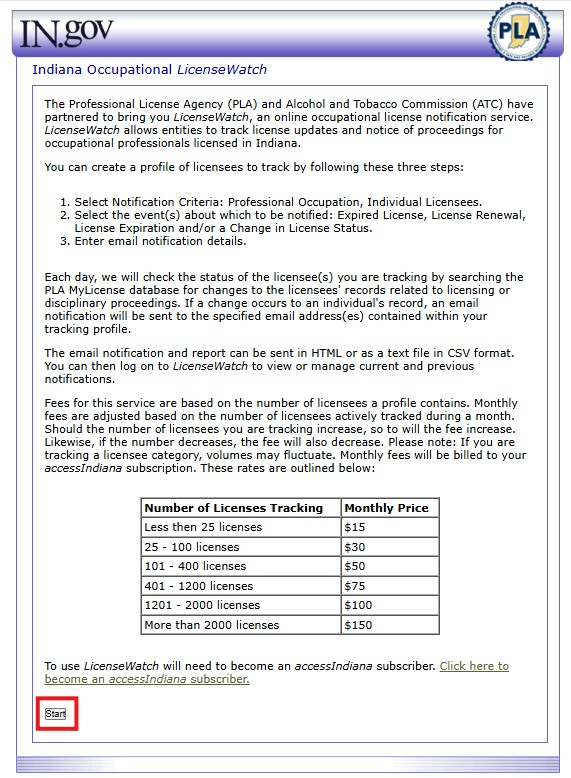
Step 1
Select your Notification Criteria and Continue
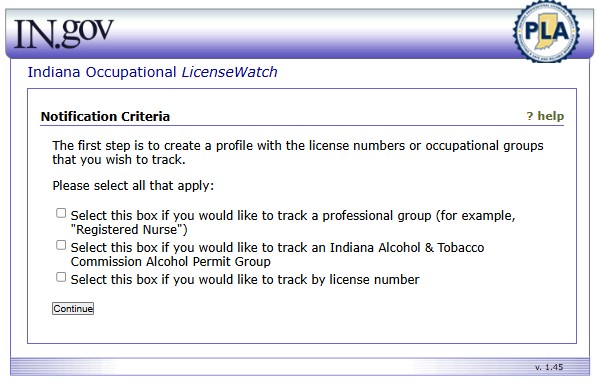
Step 2
Depending on your option from the previous step, you will be presented with either the option to add specific license numbers to watch or to select one or more professions to watch.
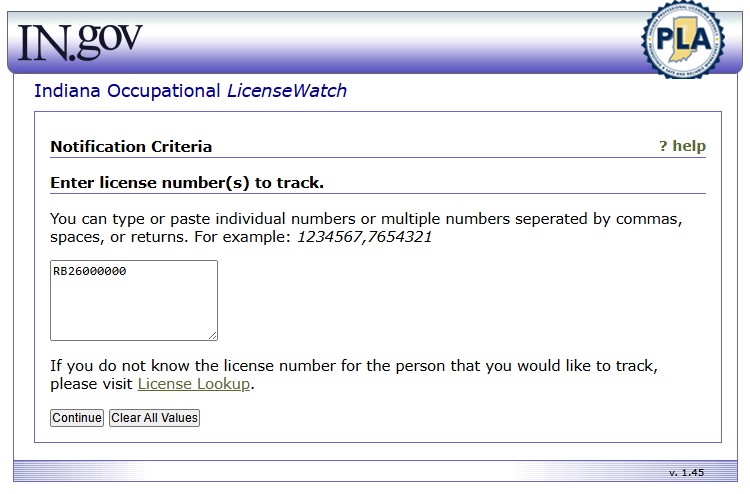
OR
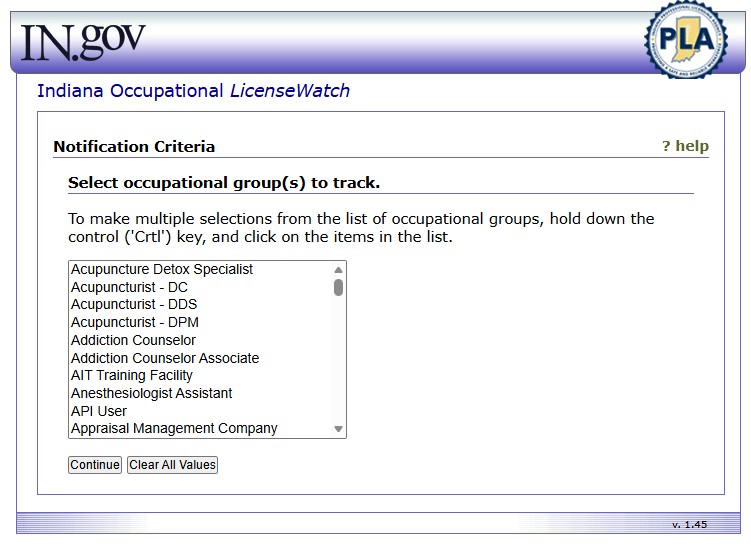
Step 3
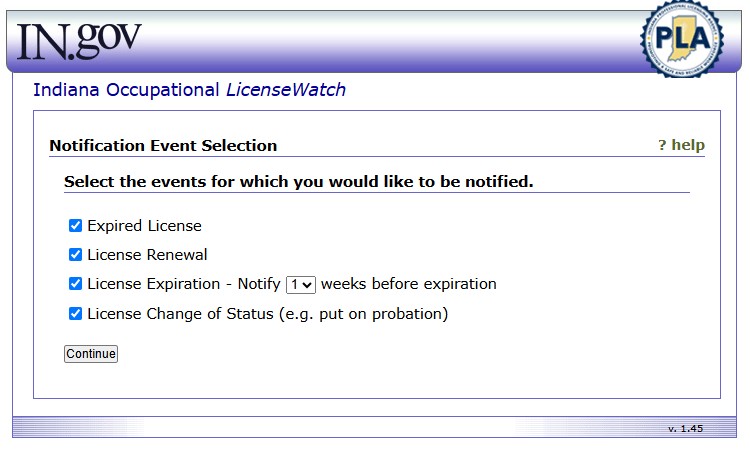
Select from the list of Events about which you would like to received notification, and Continue.
Step 4
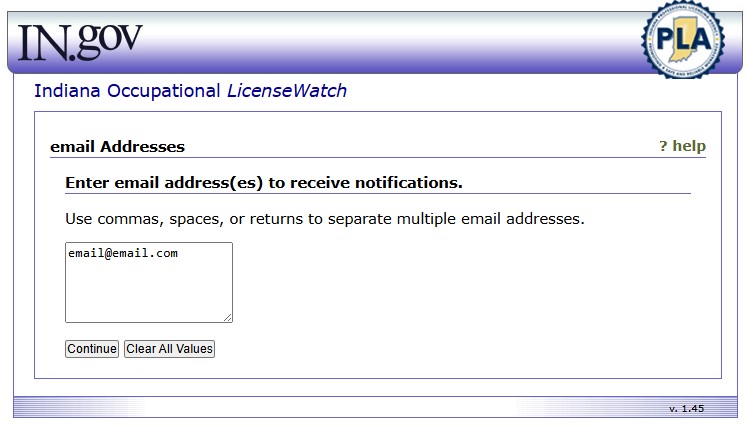
Enter the email address(es) you would like to receive the notification(s) regarding your event selection by license type or profession group, and Continue.
Step 5
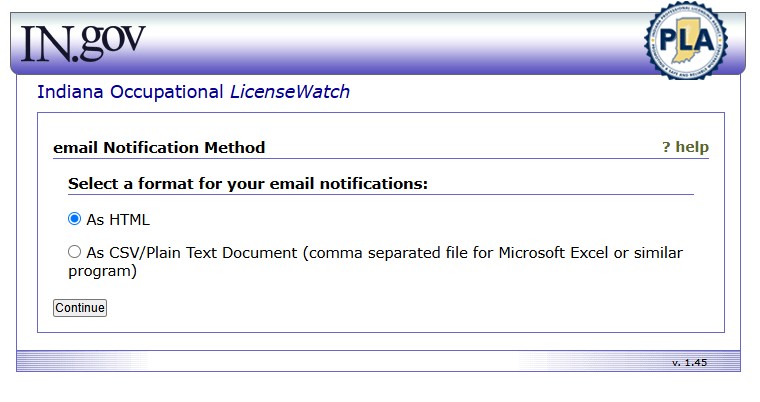
Select your Notification Method from the two options, and Continue.
Step 5 & Finalization
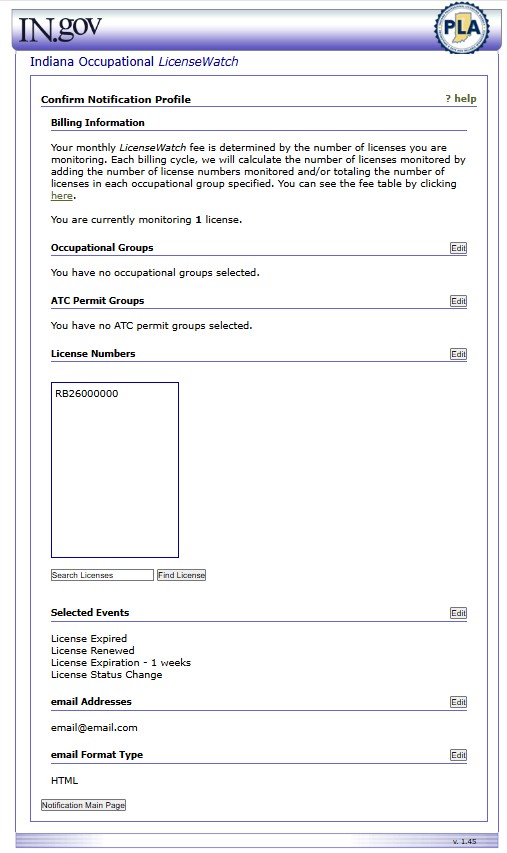
Once you have completed all of the above steps, your License Watch account is created and set up to receive notifications per your responses to the setup.
You may EDIT any of your options you have previously select at any time by logging back into your LicenseWatch account via your AccessIndiana Subscriber account. You can also return to your Profile page at any time to view previous notifications or to even remove your account.
Once you have set up your account, you will start to receive email notifications reporting any potential changes and that email will come from an automated service (please do not reply to this email) from webadmin@www.in.gov.
 PLA Online Services is currently not aware of any issues. In order to begin, please select any service in the section above.