Indiana does not send verifications on behalf of an Indiana licensee to another state.
The purchaser will download the document following successful payment.
This is the only way to obtain an official verification of an Indiana license.
This service provides you with a digitally certified verification which may be used as proof of licensure when applying to another state. The total fee for this service is $10.60. The Indiana Professional Licensing Agency (IPLA) has had this service in place since 2009. Please be aware that IPLA does not mail or email verifications to you or to anyone else on your behalf. Mobile devices are not recommended for this process. Laptop or desktop computers are recommended for the file to download properly. Digitally certified license records are to be downloaded and viewable in .pdf format and require Adobe Acrobat Reader.
Please follow the instructions below carefully and if you encounter any issues, contact IPLA IMMEDIATELY, as refunds will not be issued. Any alterations (including changing the name) to the downloaded digitally certified PDF will result in invalidating the certification. If the document is invalidated, you will need to repurchase the document.
Registered Nurses and Licensed Practical Nurses must use NURSYS for verification purposes.
Effective July 1, 2023, Veterinarian licenses and Registered Veterinary Technicians are governed by the Board of Animal Health. Please go to https://www.in.gov/vetboard/verify-license-status/ for more information on obtaining a digital certification of your license.
How to Order a Digital Certification
Use the below instructional guide to help you order your Indiana license verification.
Step 1
- **Special Note** When ordering this document, you will enter your email address, but this is only to receive a receipt for purchase. When you order this document, you will download the document after successful payment by click the link as seen in Step 5's screenshot.
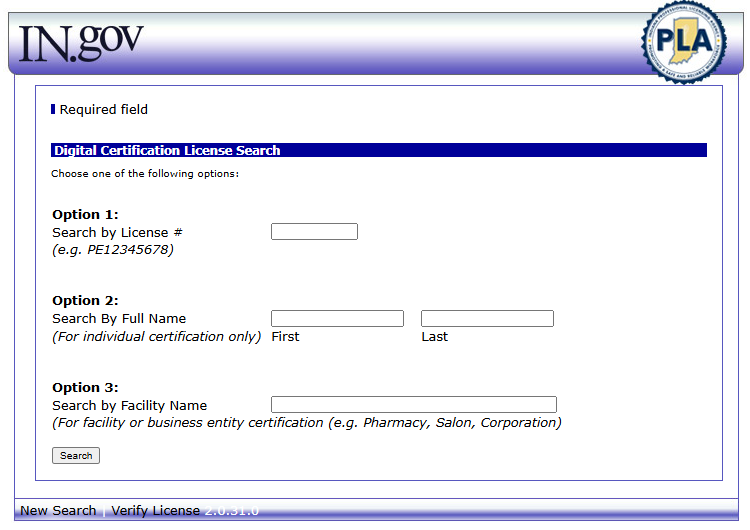
- Select the button in this step
- Enter a valid License Number and Search.
Step 2
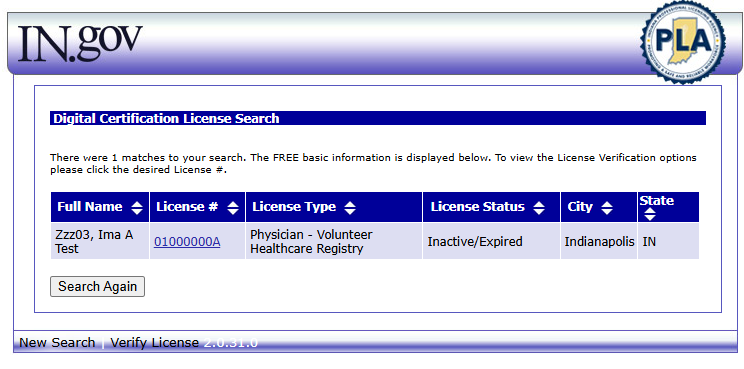
- Select the hyperlinked License Number
(Number used is for example only)
Step 3
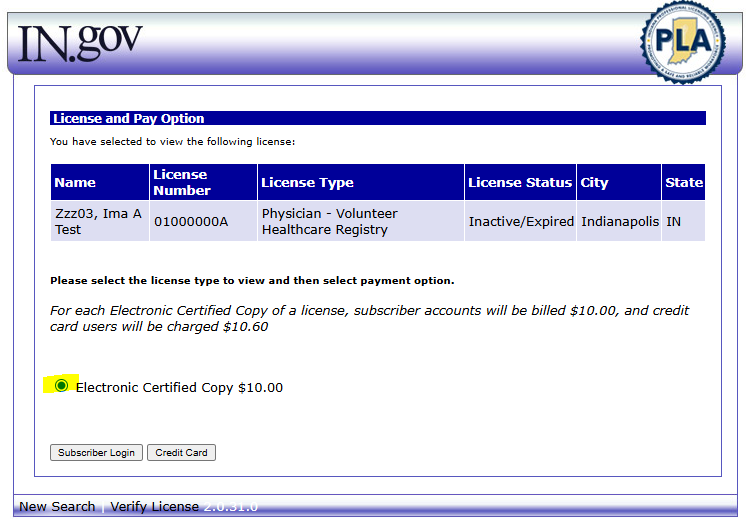
- Select the radio button for Electronic Certified Copy $10.00 and proceed with either your Subscriber Account OR Credit Card (instructions will continue for Credit Card search).
- Next page goes to the Payment Processor with Transaction Details. You will enter credit card information and your personal email address to receive your emailed receipt for the service.
- Submit payment for the Digital Certification.
Step 4
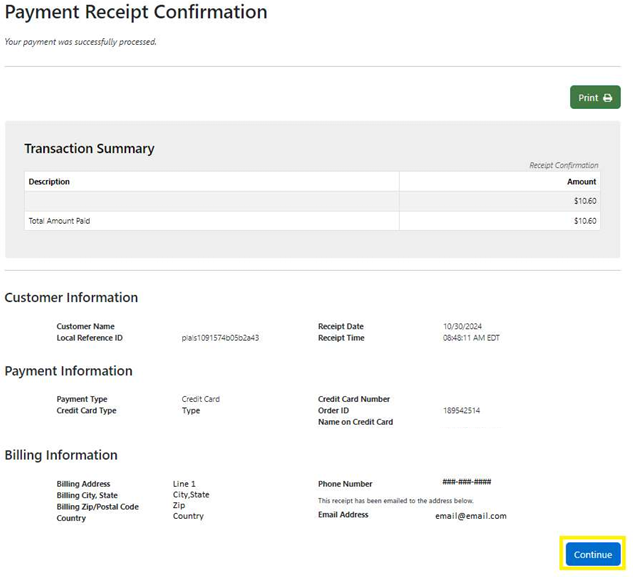
- DO NOT CLOSE THIS PAGE
- You may print this page for your records
- Select the Continue button
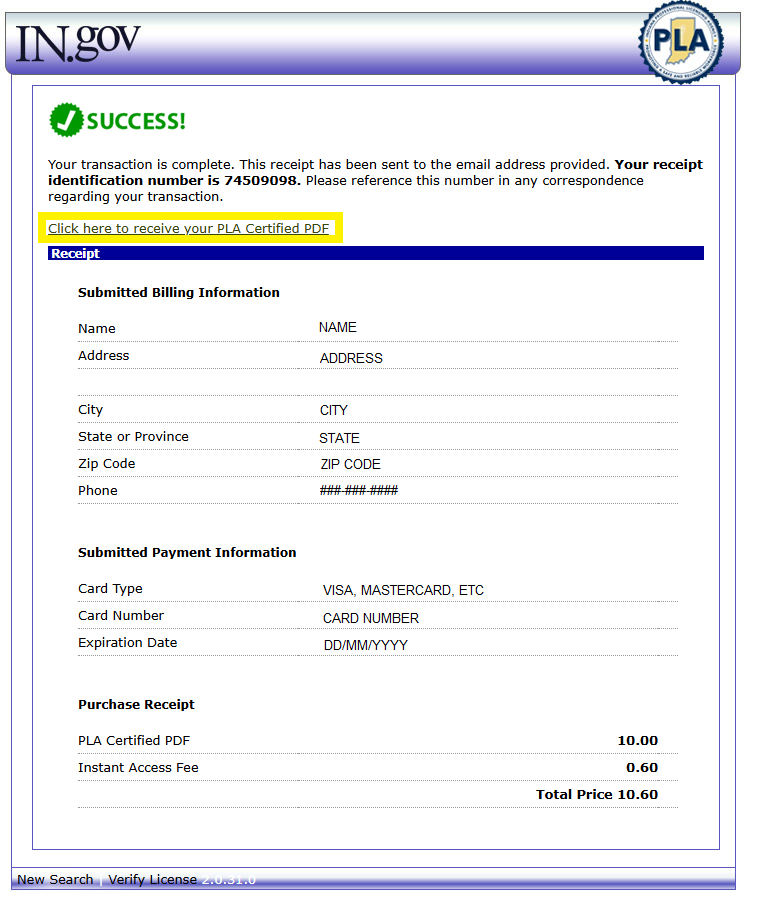
Step 5
- DO NOT CLOSE THIS PAGE
- Select link "Click here to receive your PLA Certified PDF"
- Select "Continue" to download the certification. Do not leave this page or the session will expire before the certification can be downloaded.
- Based on your Browser settings, after selecting "Continue":
- The document may automatically download and appear in your download folder on your device and/or your browser download history; OR
- A popup window will appear confirming download:
- If your browser settings have the popup blocker turned on, you may not be presented with a popup window and will need to turn that setting off for this website and select the "Continue" button again.
Step 6
- Attach the downloaded digitally certified PDF to an email and send directly to the state licensing board requiring the verification.
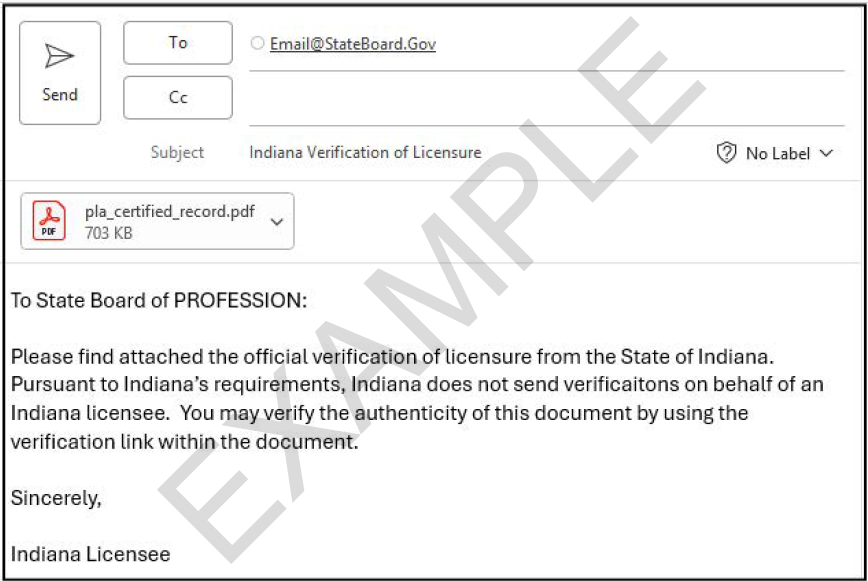
* The Online Verification Service is the only way to obtain official verification of licensure. Verification requests and payments received in office will be returned to sender.
Verification of Authenticity
As a recipient of an Indiana licensee's digitally certified license verification, you have the ability to verify the authenticity as of the date and time stamp provided on the PDF.
- Download the document received
- Go to https://secure.in.gov/apps/pla/search/verify/
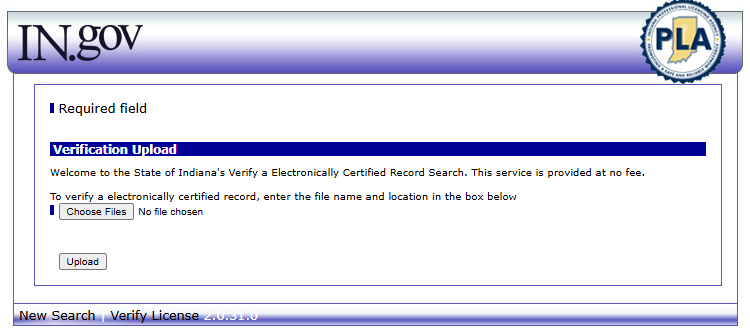
- Select "Choose Files" and locate the downloaded file and Select Upload
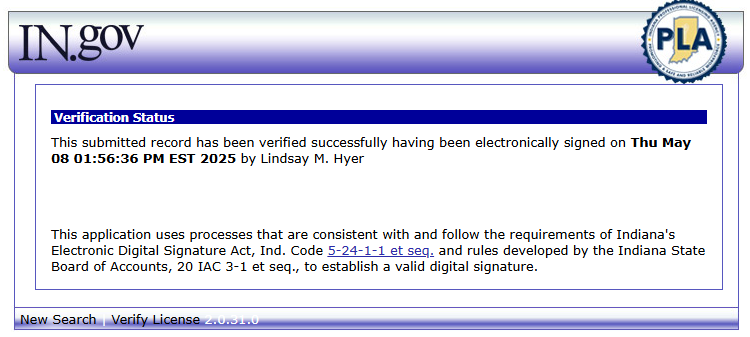
After uploading the document, if you receive the below message, the digitally certified PDF is authentic and the date electronically signed will match the date on the PDF:
Authenticity can also be ensured in Adobe by viewing the 'Certified by State of Indiana' blue ribbon displayed at the top of the PDF and expanding the Signature Panel:
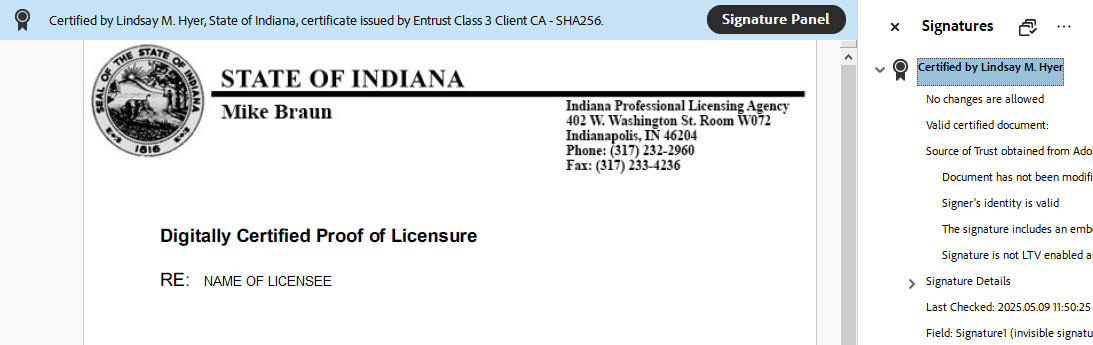
After uploading the document, if you receive the below message either the uploaded document has not been digitally signed, or the contents of the document have been modified and the blue ribbon will be missing from the PDF:
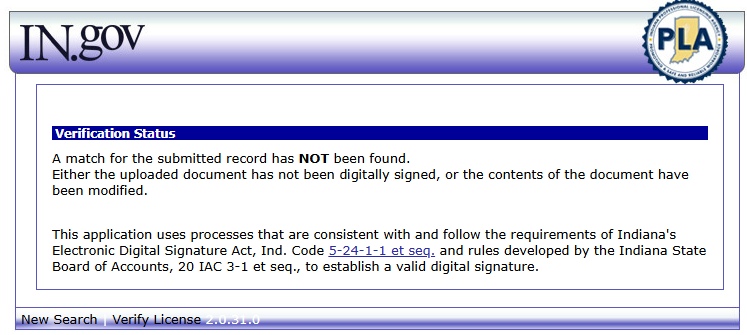
If you receive this message, the Indiana licensee must rectify this issue or you may use the Free Search & Verify to verify the Indiana licensee's license information. Should you discover the document has been modified, please use the Contact PLA link to notify the appropriate division at PLA.
* The Online Verification Service is the only way to obtain official verification of licensure. Verification requests and payments received in office will be returned to sender.
 PLA Online Services is currently not aware of any issues. In order to begin, please select any service in the section above.