
- Euna Grants for Subrecipients
- Apply for Grant
- Grant Opportunities
- Award Management
- Grant Closeout
- Support Materials
- Office Hours
What is Euna Grants?
Euna Grants is a modern grants management solution designed to streamline the full lifecycle of grant funding. The platform is now powered by the combined strengths of eCivis and AmpliFund, two industry‑leading systems known for their robust compliance tools, workflow automation, and grant performance tracking.
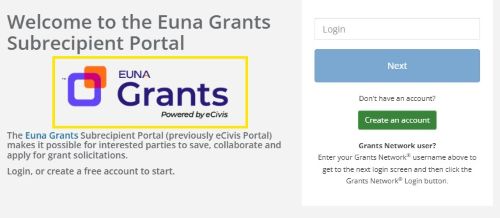
To help you identify which system you are using, below is an example of the login screens for Euna Grants powered by eCivis & AmpliFund
| Euna Grants powered by eCivis | Euna Grants powered by AmpliFund | |
|---|---|---|
Log in screen
| Log in screen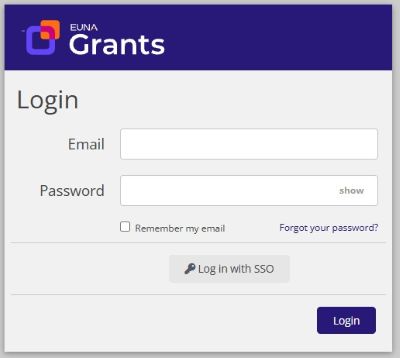 |
Euna Grants brings together these capabilities to support organizations through every stage of grant management—from application intake and review to award administration, reporting, and audit readiness. By unifying the proven functionality of eCivis and AmpliFund, the platform offers improved efficiency, stronger compliance, and greater visibility into grant activities.
What is a Subrecipient?
A subrecipient is a non-Federal entity that receives a subaward from a state agency to carry out part of a Federal program. An example is a State Agency providing grant funding to a school or a local unit of government to carry out a program. In this example, the school or local unit of government is a subrecipient.
The Euna Grants Portal is a web based application that allows users to apply for grant opportunities.
| Euna Grants powered by eCivis | Euna Grants powered by AmpliFund | |
|---|---|---|
User Guides Quick Reference Sheets Training Videos | User Guides Quick Reference Sheets Videos Euna Grants Applicant Portal: Application Overview and Submission (approx 2hrs) |
Click Here for opportunities listed with Euna Grants Powered by AmpliFund
Euna Grants provides a comprehensive post-award management suite to help organizations track, administer, and report on grants from award through closeout, ensuring compliance and maximizing impact.
| Euna Grants powered by eCivis | Euna Grants powered by AmpliFund | |
|---|---|---|
User Guides Quick Reference Sheets Training Videos | User Guides Videos Euna Grants Recipient Navigation and Performance Reporting (approx. 2 hours) |
Subrecipients have their own responsibilities to meet to ensure that management of the entire grants lifecycle is complete, including closing out the grant.
| Euna Grants powered by eCivis | Euna Grants powered by AmpliFund | |
|---|---|---|
User Guides Quick Reference Sheets | Once all requirements are met, the state granting agency will change the award status to Closed to identify the grant entered the closeout period. For the Recipient, this status will:
Once the closeout period has ended, the state granting agency will update the award status to Completed. |
Support Materials
| Euna Grants powered by eCivis | Euna Grants powered by AmpliFund | |
|---|---|---|
Frequently Asked Questions User Guides Quick Reference Sheets Training Videos | Frequently Asked Questions User Guides Quick Reference Sheets Training Videos |
Subrecipients assistance with using the Euna Grants Portal for Applications and Award Management
| Euna Grants powered by eCivis | Euna Grants powered by AmpliFund | |
|---|---|---|
| For assistance with questions about completing your application or award management functions for your grant, please contact the State Granting Agency. If you need technical assistance with navigating or using the Euna Grants powered by eCivis portal, please contact the SBA grants management team. | Applicant Sessions (completing an application) Recipient Sessions (managing an award) |