Standard Drawing Index 2006
Effective for Lettings on or after March 01, 2006
The file is Microsoft Excel format. It is important that you do not change the header & the title.
- Standard Drawing Index (Zipped MS Excel, Metric & English)
- Standard Drawing Index (MS Excel, Metric & English)
- The spreadsheet has an extra column (first column) in which you can enter the letter "y" in the row you want to include
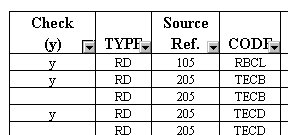
- Click on the arrow in the first column & scroll to choose "y":
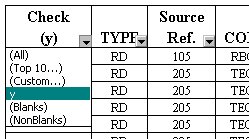
- Now you get the rows with "y", print the file by clicking on "Print Preview" first so you can check the output. Note: all other rows are still available; you can return them by clicking on the arrow again & selecting "All".
[an error occurred while processing this directive]