Language Translation
  Close Menu

Employers

  • INPRS
  • Current: Employers

September updates

The ERM system will be down Friday, September 12 at 5pm until Monday, September 15 at 6am and from 5pm September 19 through September 22 at 6am for required system upgrades.

The Employer Advocate department including phone, email and chat will be unavailable from Thursday, September 18 at 4:30pm to Monday, September 22 at 8:30am.

Additionally, the EA Support Team will not be available Wednesday, September 24 due to the 2nd annual Employer Conference. ERM will be available during this time.

We appreciate your patience as we upgrade our systems to better serve our employers and members.

Click the button below for a document that explains the changes that are coming.

Learn about CRM

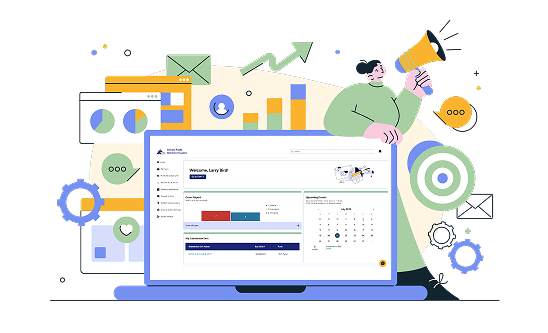
Picture of a laptop with the INPRS Employer Reporting software on the screen.

New EA Support Line Hours

The INPRS Employer Advocate support line now operates with new hours! Our phone and chat options are available from 8:30 a.m. to 4:30 p.m. Monday through Friday. As a reminder, our email, eppa@inprs.in.gov is available at any time. Expect a response time of 24-48 hours.

2025 INPRS Employer Seminar

  • Below you will find recordings to most of the sessions from the September 24 Employer Seminar. If you would like to view all of the videos as a playlist you can go here.

Reporting 101

This session from the INPRS 2025 Employer Seminar walks through different options for reporting inside Employer Reporting & Maintence (ERM) software platform.

PERF & TRF Service

This session from the 2025 INPRS Employer Seminar covers eligibility rules for PERF & TRF and what is counted as service.

DB Dashboard

A preview of the upcoming dashboard for members to view their defined benefit/pension information.

Service Credit

This session from the 2025 Employer Seminar covers service credit for members and how to report inside ERM.

ERM Self Service

This session walks you through how to perform some critical functions inside ERM.

Reporting Issues

This session goes through some common errors made in ERM and solutions.

Top FAQs for Employers

View all employer FAQs

Wait! Before you go...

Are you looking for more information about your Defined Benefit/Pension? When you navigate to your participant website your DB information can be found in the "View Details" of MyOrangeMoney at the top of the page when you login. Image of My Orange Money from member portal page showing the link to More Details where you can navigate to your site.
For more information about your pension and navigating to find specifics click here

Or, to continue to your participant website Log in