
Misinformation spreads rapidly in today’s digital world, particularly during crises or breaking news. Misinformation can take many forms, including altered images, false statistics or fabricated stories. Learning how to recognize and respond to it helps protect you, your community and the truth.
Misinformation Safety Tips
Quick Tips
- Always check the source before sharing any news, photo or claim online.
- Look for supporting evidence from trusted, official organizations.
- Pause before sharing emotionally charged or sensational content.
- Report false or misleading posts when possible.
- Talk respectfully with friends or family who may have been misinformed.

How to Spot Misinformation
Not all misinformation is easily identifiable. It often looks professional or emotionally compelling. Being skeptical and asking questions is the first step to stay properly informed.
Signs of Misinformation
- Headlines that use dramatic or emotional language to create panic or outrage
- Claims that include “secret,” “leaked” or “they do not want you to know”
- Posts that have no clear author or link to a reputable source
- Websites that mimic the look of real news outlets but end in unfamiliar domains
- Stories that lack multiple sources or contradict known facts
Steps to Verify
- Check the source. Is it a government agency, local news outlet or health department?
- Look up the claim on a fact-checking website.
- See if other credible sources are reporting the same information.
- Check the date. Old stories or photos are often reused out of context.
- Reverse image search photos to see where they first appeared.

How To Tell if a Photo or Video is AI-Generated or Altered
Artificial intelligence can now create highly realistic images, videos and audio clips. Some are harmless, but others are used to mislead or misinform.
Signs of AI-Generated Content
- People with unusual features, such as mismatched earrings, blurry teeth or inconsistent shadows
- Videos where lip movements do not match speech and facial expressions appear stiff
- Images that show objects or people in unrealistic scenarios or with distorted details
- Photos with excessive smoothness or lack of texture in skin and hair
Stay Ahead
- Use online tools that can analyze media to determine if AI was used.
- Look for media with verified timestamps, geotags or source information.
- Stay updated with guidance from trusted agencies, such as CISA, the FBI or the National Cybersecurity Alliance.
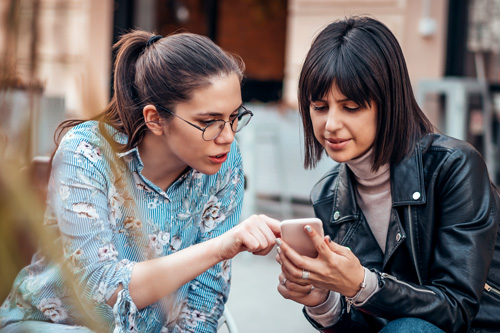
How To Talk to Friends and Family
Seeing someone you care about sharing something false or misleading can be uncomfortable. However, respectful conversations can help slow the spread of misinformation without damaging relationships.
Approach with Understanding
- Start from a place of curiosity, not criticism.
- Ask where they found the information and what they think about it.
- Use phrases like “That is interesting. I saw something different from …” or “Can I show you what I found about that?”
Avoid These Pitfalls
- Do not call someone gullible, stupid or a liar. This will shut down the conversation.
- Do not argue to win. Aim to share information, not to shame.
- Do not overwhelm with facts. Focus on one or two trustworthy sources.
What To Share Instead
- Link to official information from FEMA, the Centers for Disease Control and Prevention, state agencies or local governments.
- Explain that misinformation is common, and even smart people fall for it.
- Offer to look up facts together so both parties feel involved.
Resources
Websites
- Cybersecurity
Indiana Department of Homeland Security - Health Misinformation
U.S. Office of the Surgeon General - Disinformation Stops With You
Cybersecurity and Infrastructure Security Agency (CISA) - Misinformation, Disinformation and Propaganda: Be Media Literate
Cornell University
Download Misinformation Safety Tips