Check OutHome
| Policies | Contact Us
HELP

Training Manual: Section 2
Selling a License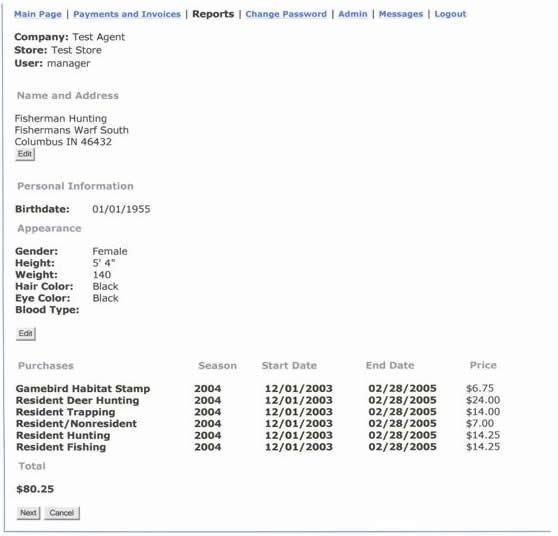
This screen verifies the information you entered on the customer as well as the license type you selected and the total amount due.
- If you see any errors, hit the Edit button to make corrections.
- If everything is ok, hit Next to generate the actual license.
* Actual License (see Appendix B)
- Click Please print this page at the top of the page.
- Have customer sign and collect total amount due.
- DO NOT retain a copy of the license.
- When finished, click Return to menu at the bottom of the screen to sell another license, void a license or logout.
« Previous Step
« Back to index